

Every booking in one place, from every booking site and WhatsApp
Bookings from Airbnb, Booking.com, MakeMyTrip, WhatsApp and your own website sit together in Treckme. Add one yourself in a minute, and the guest gets a confirmation on WhatsApp and email.
Keep each booking together.
Your team confirms the booking and manages the stay.
Start free trialA weekend,
made official.
Bookings
Booking management software for hotels, homestays and villas
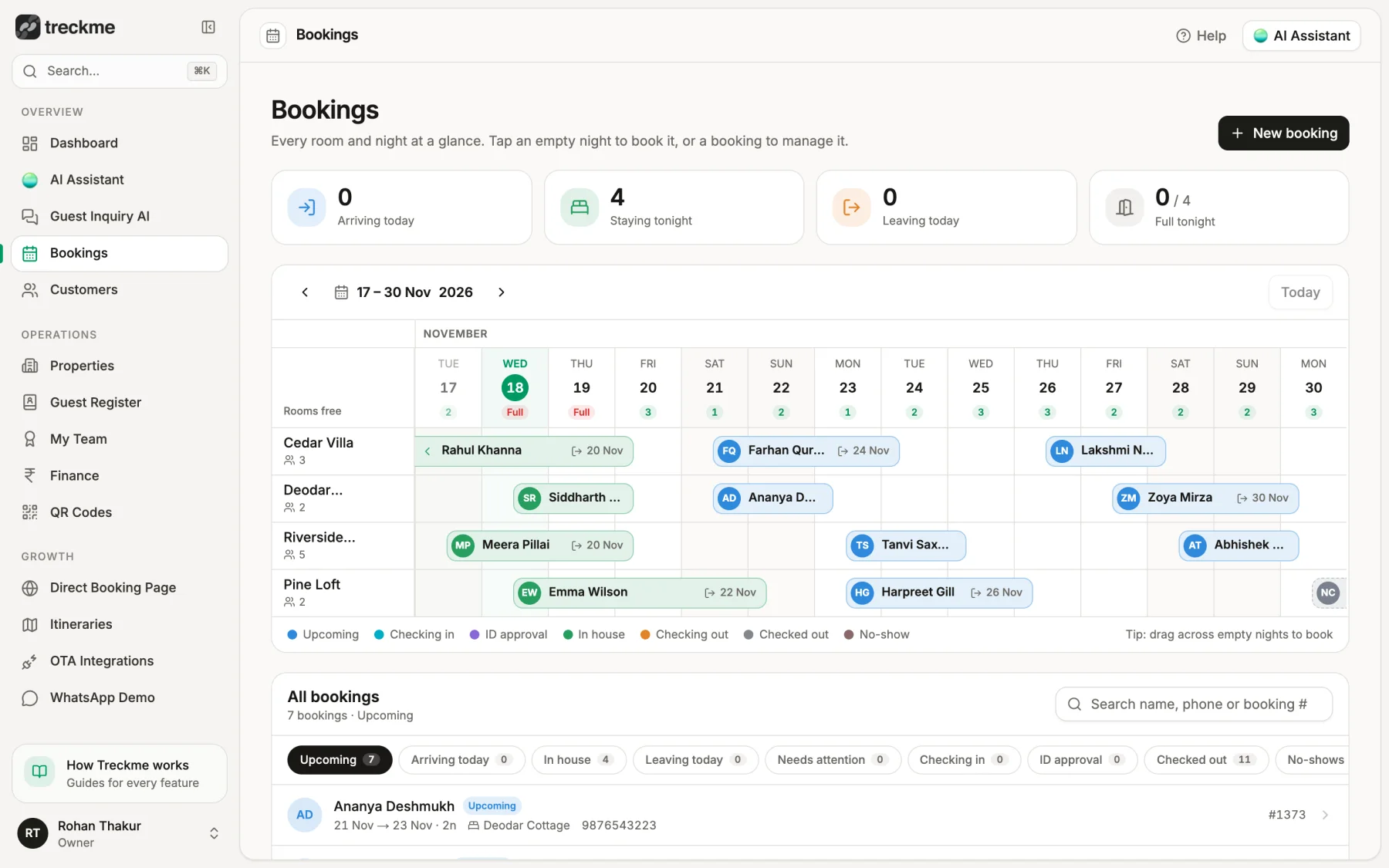
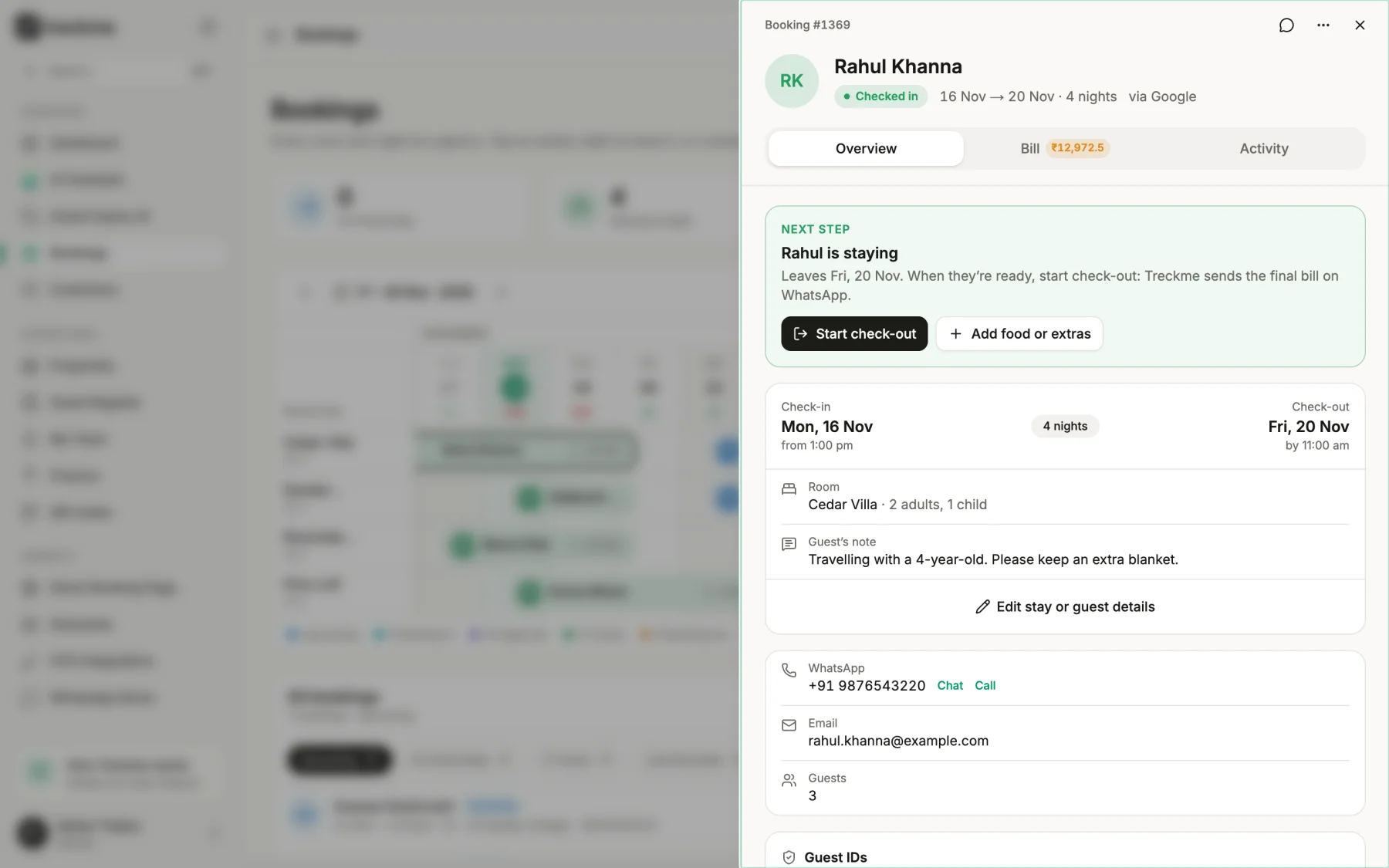
Treckme keeps every booking in one place: from Airbnb, Booking.com and other booking sites, from WhatsApp and from your own website. Add a booking in a minute, send the guest a confirmation on WhatsApp and email, and see what each guest owes.
See it in Treckme
Screens show a demo property. Guest names, phone numbers and amounts are sample data.
All bookings together
With OTA sync, bookings from 78+ booking sites arrive in Treckme within seconds, next to the ones you take on WhatsApp, on the phone or on your own booking website.
- Each booking shows where it came from, the guest, the rooms, the dates and the amount due
- New, changed and cancelled bookings from booking sites update by themselves
- A booking from any source closes the same nights on every connected site
See every room on one calendar
The booking calendar shows the rooms of all your properties, with prices on free nights. Pick nights to add a booking, change the price or block dates.
- Separate or Combined view for many properties
- Several rooms can be one booking
- Block nights without a booking, and they close on booking sites too
The guest gets a confirmation
When you add a booking yourself, from the dashboard, the AI assistant or WhatsApp, Treckme sends the guest a booking confirmation on WhatsApp and by email when you have their email.
- The WhatsApp message has the booking ID, the room and the dates, with a button to the guest’s own booking page
- You are told what was sent, and why a channel was skipped
- Untick the box when you do not want a confirmation sent
- Bookings from booking sites are not sent one, because the site already confirms them
Change a booking by asking
Ask the AI assistant to move dates, switch rooms, set a special price or record an advance. It checks availability first and shows the new bill.
- When a room is taken, it offers the nearest free dates or rooms instead of a dead end
- Shows the bill, amount paid and balance due at any time
- Paste a guest’s message and it fills in the booking for you
From booking to check-out
A booking is linked to the rest of the stay, so nothing is typed twice.
- Online check-in and the guest register
- Food orders and paid services go on the same bill
- When the guest leaves, the room goes to your cleaner
- The invoice with GST goes to the guest on WhatsApp
Frequently asked questions
Is Treckme a channel manager?
Yes. Treckme has a channel manager built in, called OTA sync. Prices, availability and stay rules go from Treckme to Airbnb, Booking.com, MakeMyTrip (with Goibibo), Agoda, Expedia and 78+ booking sites in all, and bookings come back within seconds.
Does the guest get a booking confirmation when I add a booking myself?
Yes. Treckme sends the guest a confirmation on WhatsApp with the booking ID, room and dates, and by email when you have their email. You can untick it for a booking that should not get one.
Can I see Airbnb, Booking.com and direct bookings together?
Yes. With OTA sync, bookings from Airbnb, Booking.com, MakeMyTrip and 78+ booking sites come into Treckme within seconds, next to your WhatsApp and direct bookings, in one list and one calendar.
Can I change a booking from the chat?
Yes. Ask the assistant to change the dates, rooms, guests, price or amount paid. It checks availability, updates the booking and shows the new balance.
Can I create direct booking links?
Yes. Treckme makes a booking website for your property, with a link you can share on WhatsApp, Instagram and Google. Guests send a booking request, you accept it on WhatsApp, and the booking lands in Treckme with the rest.
Can one booking have several rooms?
Yes. Pick the rooms and nights on the calendar and choose Add a booking. They are saved as one booking with one bill.